Skip to content
Claim Up To 57% Off

4-in-1 Multi-Port Backup · Lightning, USB-C, Micro-USB & USB-A · Zero Cloud Fees

RecovStick™ Pro

Clear "Storage Almost Full" warnings in minutes without paying recurring cloud subscriptions or wrestling with tangled adapters—plug the 4-in-1 RecovStick™ Pro directly into your iPhone, iPad, Android phone, or computer to offload photos and videos offline.

Claim Up To 57% Off — View Packages

From $47.21 per unit −57%

4.8/5

  • Four built-in connectors: Lightning, USB-C, Micro-USB, and full-size USB-A
  • Works across iPhones/iPads (iOS 13+), OTG Android phones, Windows PCs & Macs
  • Direct offline hardware transfers—no Wi-Fi connection or monthly cloud billing needed
  • Save up to 57% ($47.21/ea on 4× bundle) · 30-Day Money-Back Guarantee
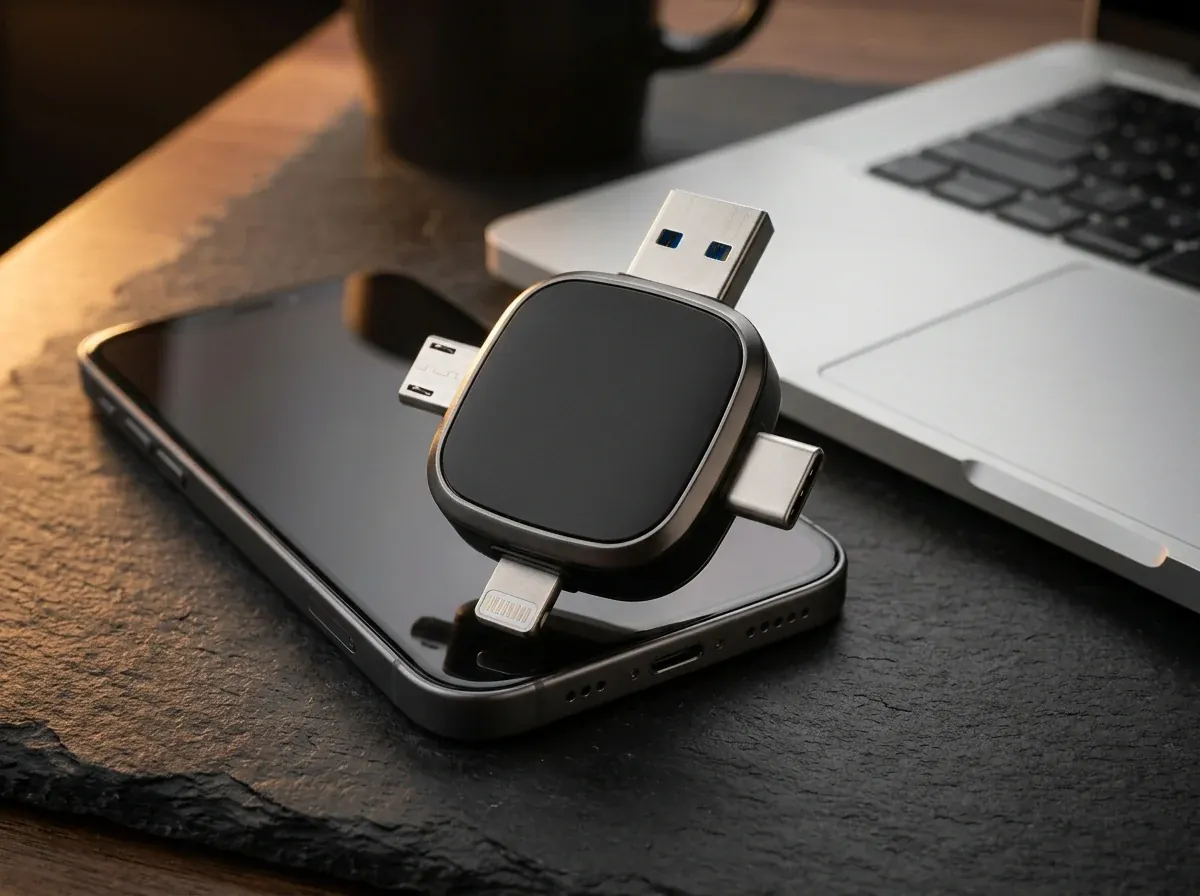
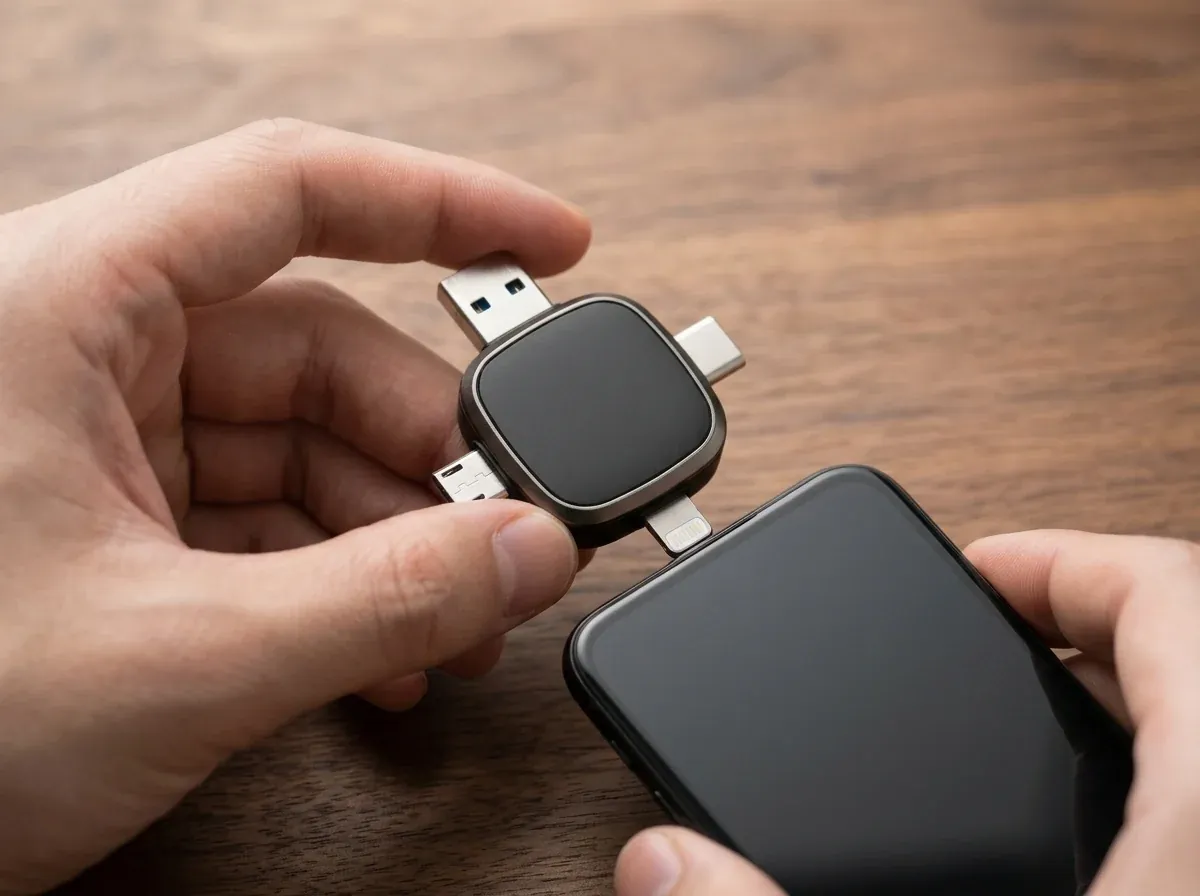
Matte-black 4-in-1 RecovStick Pro flash backup drive showing Lightning, USB-C, Micro-USB, and USB-A connectors beside a smartphone
Fig. 1 Matte-black 4-in-1 RecovStick Pro flash backup drive showing Lightning, USB-C, Micro-USB, and USB-A connectors beside a smartphone
Lightning, USB-C, Micro & USB-A
4 Ports
iPhone, iPad, Android, Mac & PC
iOS 13+
No recurring cloud storage fees
$0/mo
Money-back guarantee
30 Days

01Overview

Why Cloud Subscriptions & Tangled Cables Frustrate Phone Owners

When your phone memory fills up mid-vacation, waiting on slow hotel Wi-Fi or paying monthly cloud tiers is the last thing you want.

Modern smartphones shoot high-bitrate 4K video and detailed family portraits that fill internal storage faster than ever. The moment that dreaded "Storage Full" alert pops up at a graduation, concert, or family trip, you are usually forced to either delete precious memories on the spot or upgrade to an expensive recurring cloud storage plan that charges you every single month.

RecovStick™ Pro puts physical ownership of your photos, videos, and documents back in your pocket. Shaped as a compact cross-layout hub with four dedicated hardware connectors—Lightning, USB-C, Micro-USB, and USB-A—it plugs straight into virtually any phone, tablet, or laptop in your household so you can copy files off your device in minutes without Wi-Fi, cables, or cloud logins.

  • Frees up gigabytes of iPhone, iPad, and Android camera-roll space on the spot
  • Moves large video clips between Apple, Android, Windows, and Mac without email size limits
  • Supports older Micro-USB Android phones (with OTG) right alongside the latest USB-C devices
  • Keeps private family photos and tax documents on hardware you hold—not on a third-party server
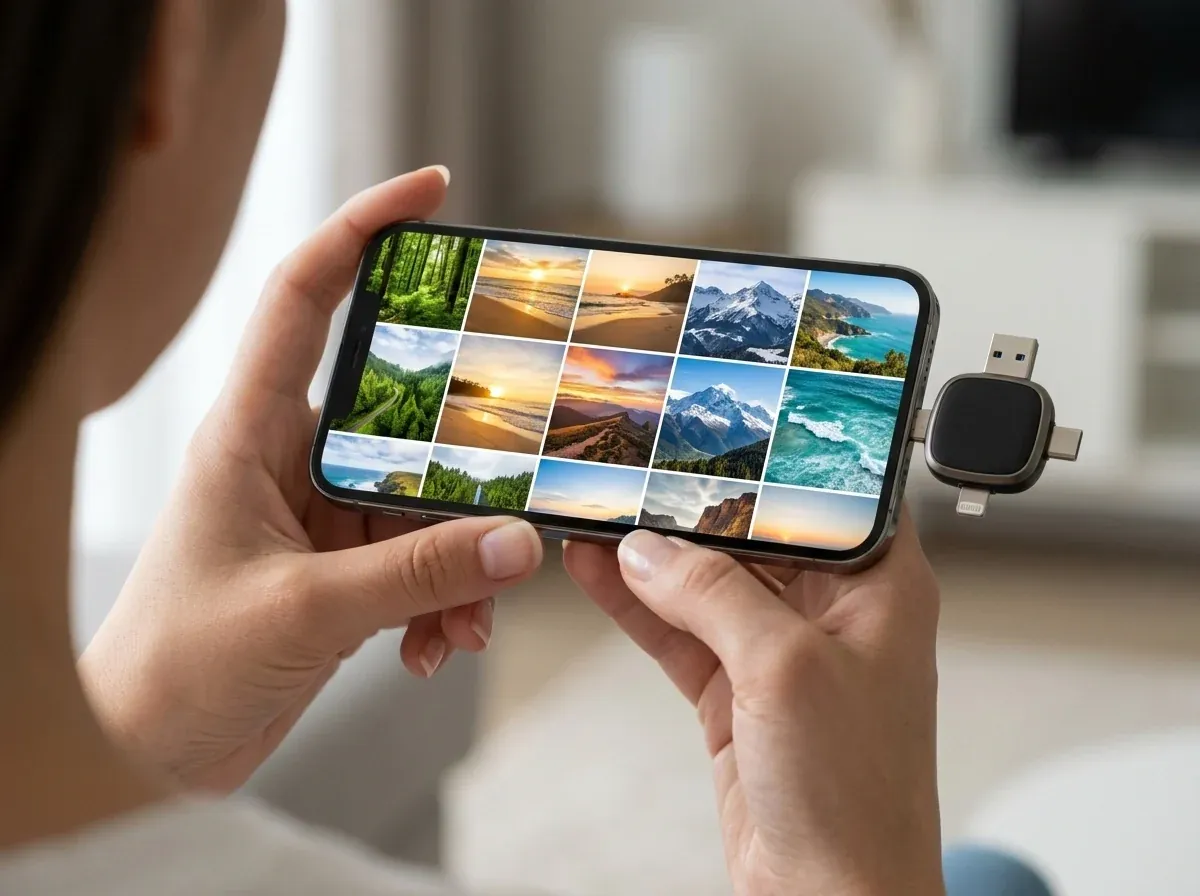
Traveler backing up smartphone photos directly to the compact matte-black RecovStick Pro without cables
Fig. 2 Plug the matching connector straight into your phone or laptop—no Wi-Fi or adapter dongles required.

02How it works

How RecovStick™ Pro Connects Every Device in Your Home

Four precision-molded interfaces engineered around a single solid-state flash memory core.

  1. 01

    Quad-Interface Cross Architecture

    Instead of carrying a pouch of loose dongles that get lost in desk drawers, RecovStick™ Pro integrates four full-spec metal connectors around a compact matte-black hub: Apple Lightning for iPhones and iPads, reversible USB-C for modern smartphones and ultrabooks, Micro-USB for legacy OTG Android devices, and standard USB-A for desktop towers and laptops. All four ports read and write to the same internal flash storage pool, letting you capture files on one device and open them immediately on another. Having all four industry-standard connectors molded onto one pocket-sized body means you never have to hunt for a separate adapter cable when switching devices.

  2. 02

    Direct iOS 13+ & Android OTG File Offload

    Transferring your camera roll does not require technical expertise or desktop sync software. On iPhones and iPads running iOS 13 or later, you simply install the companion app once, insert the Lightning or USB-C tip, and select the photos or videos you want to back up. On OTG-enabled Android phones, no extra app is needed—just open your built-in Files manager, highlight your camera folders, tap Copy To, and choose the RecovStick™ Pro drive directly. Both iPhone and Android transfers preserve your original photo resolution, video frame rate, and file metadata without cloud compression.

  3. 03

    Zero-Wi-Fi Offline Privacy & Speed

    Uploading fifty gigabytes of home videos to a cloud server over cellular data or hotel Wi-Fi can take hours and burn through mobile data caps. Because RecovStick™ Pro transfers files directly through your device’s physical port, backups happen locally at hardware bus speeds even when your phone is in Airplane Mode on a flight. Your sensitive personal documents, medical PDFs, and family albums stay strictly on physical media in your possession rather than remote cloud servers. Even when you are flying overseas or traveling through areas with zero cell reception, your camera roll backs up directly onto solid-state memory.

  4. 04

    Plug-and-Play Windows & Mac Archiving

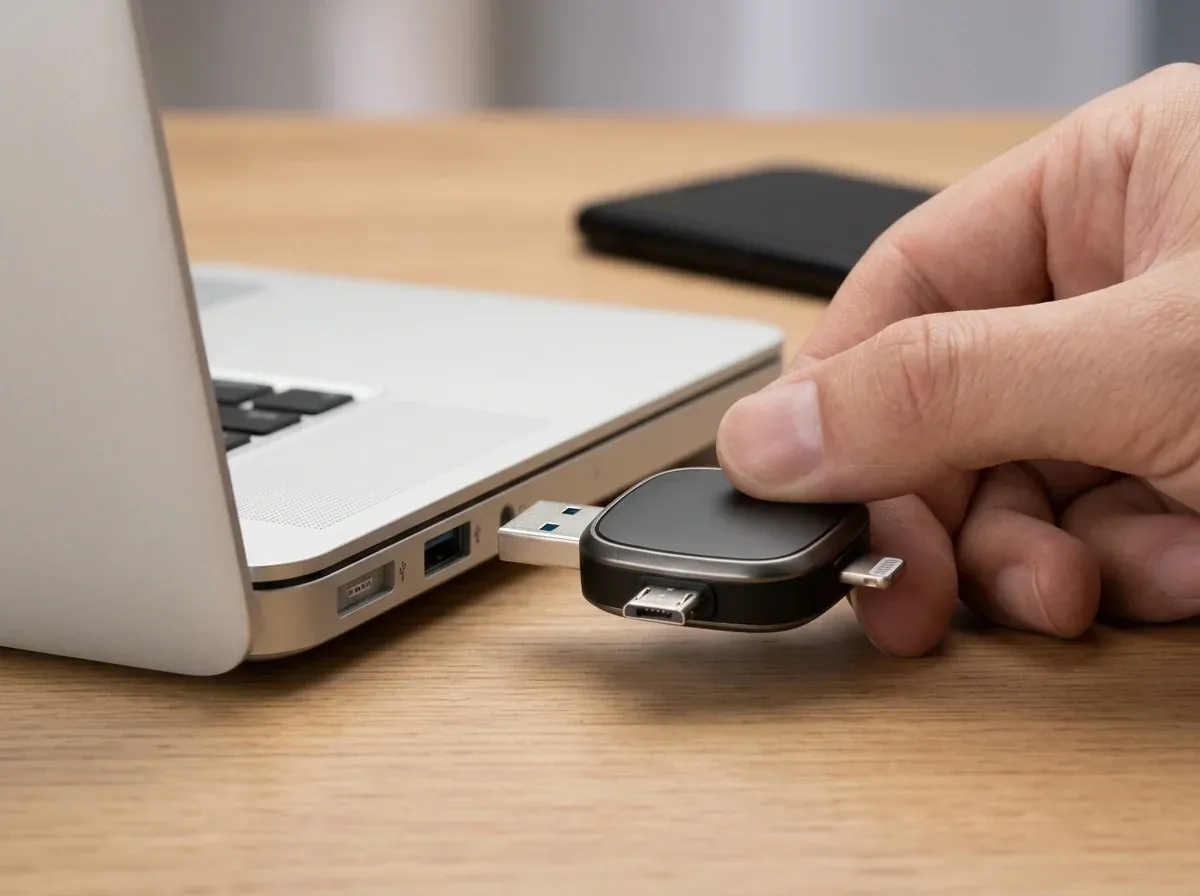
    Once your phone memories are saved onto RecovStick™ Pro, moving them to a home computer or external hard drive is effortless. Flip the drive to its full-size USB-A or USB-C side and plug it into any Windows PC, MacBook, or iMac. The computer recognizes it immediately as a standard external drive so you can drag and drop folders, organize photo albums by year, or share wedding and vacation footage with relatives who use different phone brands. Keeping a physical archive copy in your desk drawer or safe gives your household an immediate offline backup alongside your primary computers.

03In use

Built for Family Photo Archiving, Travel & Cross-Platform Sharing

Discover why 3,758+ verified customers rely on RecovStick™ Pro to protect their digital memories.

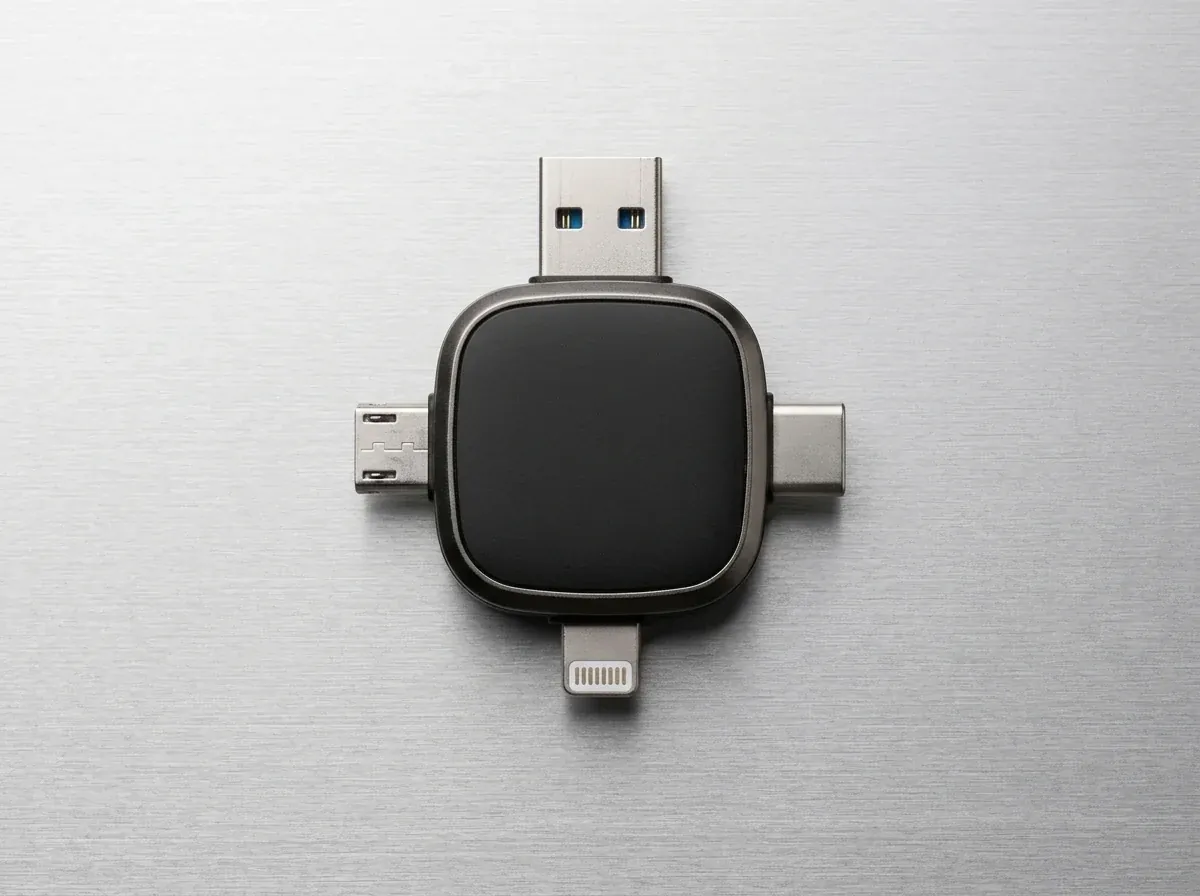
Overhead studio close-up of the matte-black 4-in-1 RecovStick Pro highlighting its Lightning, USB-C, Micro-USB, and USB-A connectors
Fig. 3 Overhead studio close-up of the matte-black 4-in-1 RecovStick Pro highlighting its Lightning, USB-C, Micro-USB, and USB-A connectors

Universal Household Compatibility

Bridges the Gap Between iPhones, Android Phones, Old Tablets & PCs

Most families use a mix of electronics across generations: one person carries a Lightning iPhone, another upgraded to a USB-C Android or newer iPad, an older tablet in the kitchen still uses Micro-USB, and the home desktop only has rectangular USB-A ports. Sharing a 4K birthday video across those devices usually turns into compressed text messages or failed air-drops.

RecovStick™ Pro eliminates every connector barrier in one pocket-sized tool. You can rescue forgotten baby photos off an older OTG-supported Micro-USB Android phone, merge them with shots from an iOS 13+ iPhone, and plug the USB-A end into a parent’s Windows laptop so they can view the full-resolution originals right from the drive—without creating accounts orcompressing image quality. Whether you are consolidating holiday snapshots from three different family phones or moving large work presentations between a tablet and a desktop PC, the 4-in-1 hub handles every transfer offline in seconds. Whether you are consolidating holiday snapshots from three different family phones or moving large work presentations between a tablet and a desktop PC, the 4-in-1 hub handles every transfer offline in seconds.

Note Compatible with iPhones & iPads (iOS 13+), OTG Android devices (USB-C & Micro-USB), Windows, and macOS.

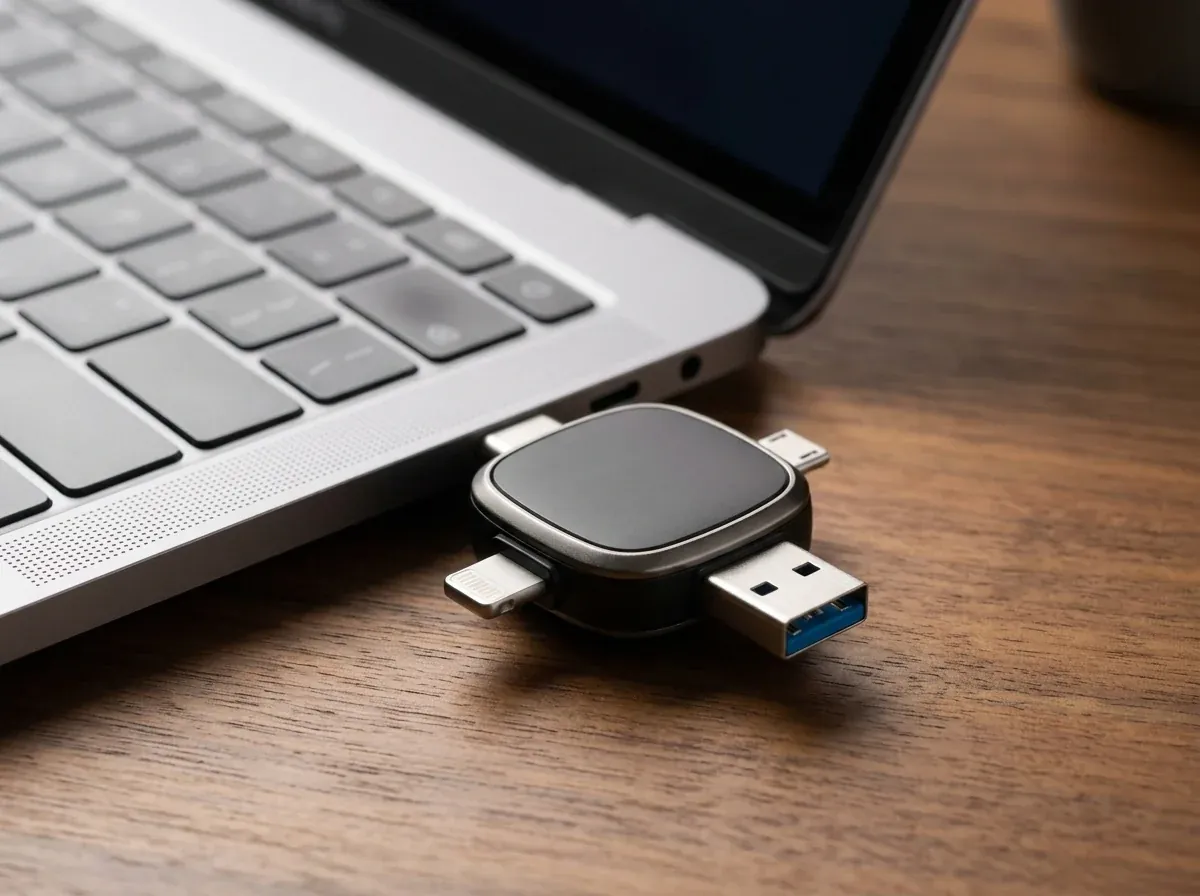
RecovStick Pro connected to the USB-C port of a thin laptop on a wooden desk for fast photo archiving
Fig. 4 RecovStick Pro connected to the USB-C port of a thin laptop on a wooden desk for fast photo archiving

No Monthly Cloud Bills

One-Time Hardware Investment with Up to 57% Off Multi-Drive Packs

Cloud storage subscriptions look cheap at first, but paying month after month for years adds up to hundreds of dollars—and if you ever stop paying, your cloud account locks up until you download everything back. With RecovStick™ Pro, you pay once and own your backup storage outright.

Many customers order multi-drive bundles so they can dedicate one RecovStick™ Pro to family photos, keep a second drive in a fireproof safe as an off-site backup, and gift a third to parents or grandparents. On the official US, Canada, and Germany checkout pages, 1× RecovStick™ Pro is $55.54 (50% off $111.09), 2× Drives are $52.77 each ($105.54 total, 53% off), the 3× Recommended Deal is $49.99 each ($149.97 total, 55% off), and 4× Drives are $47.21 each ($188.84 total, 57% off)—plus a 5× pack at checkout for $44.43/ea (60% off), all covered by a 30-day money-back guarantee. Every RecovStick™ Pro bundle includes our 30-day money-back guarantee and tracked dispatch for shoppers across the United States, Canada, and Germany.

Note Recommended Deal: 3× RecovStick™ Pro drives at $49.99/ea (save 55% + 30-Day Money-Back Guarantee).

04Specification

RecovStick™ Pro Technical Specifications

Verified connector types, operating system requirements, and warranty coverage.

Product NameRecovStick™ Pro 4-in-1 Multi-Interface Flash Backup Drive
Built-In Connectors4-in-1: Apple Lightning, USB-C, Micro-USB & standard USB-A
iPhone & iPad SupportiOS 13 or later (uses free companion app for iPhone/iPad transfers)
Android SupportOTG-supported Android phones & tablets via USB-C or Micro-USB (uses native Files app)
Computer SupportPlug-and-play on Windows PCs and Apple Mac computers via USB-A or USB-C
Supported MediaPhotos, HD/4K videos, music, PDFs, contacts & office documents
Network RequirementNone — 100% offline hardware transfer without Wi-Fi or cellular data
Subscription Fees$0 monthly fees — one-time hardware purchase
Body ConstructionCompact pocket-sized matte-black hub with reinforced metal port tips
Customer SupportDedicated 24-hour email support desk (see Contact Us page)
Return Guarantee30-Day Money-Back Guarantee on all official orders

05In the box

What Comes in Your RecovStick™ Pro Package

Ready to connect to your devices straight out of the box.

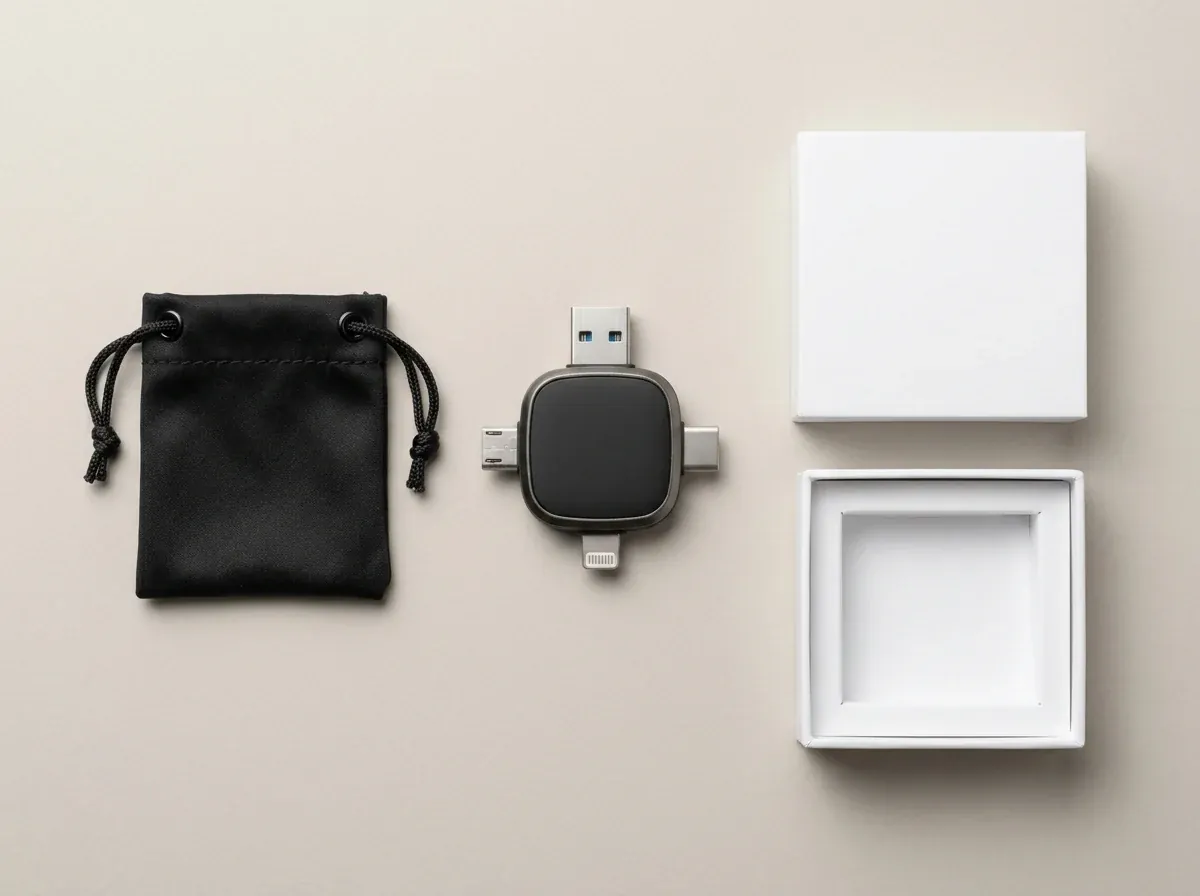
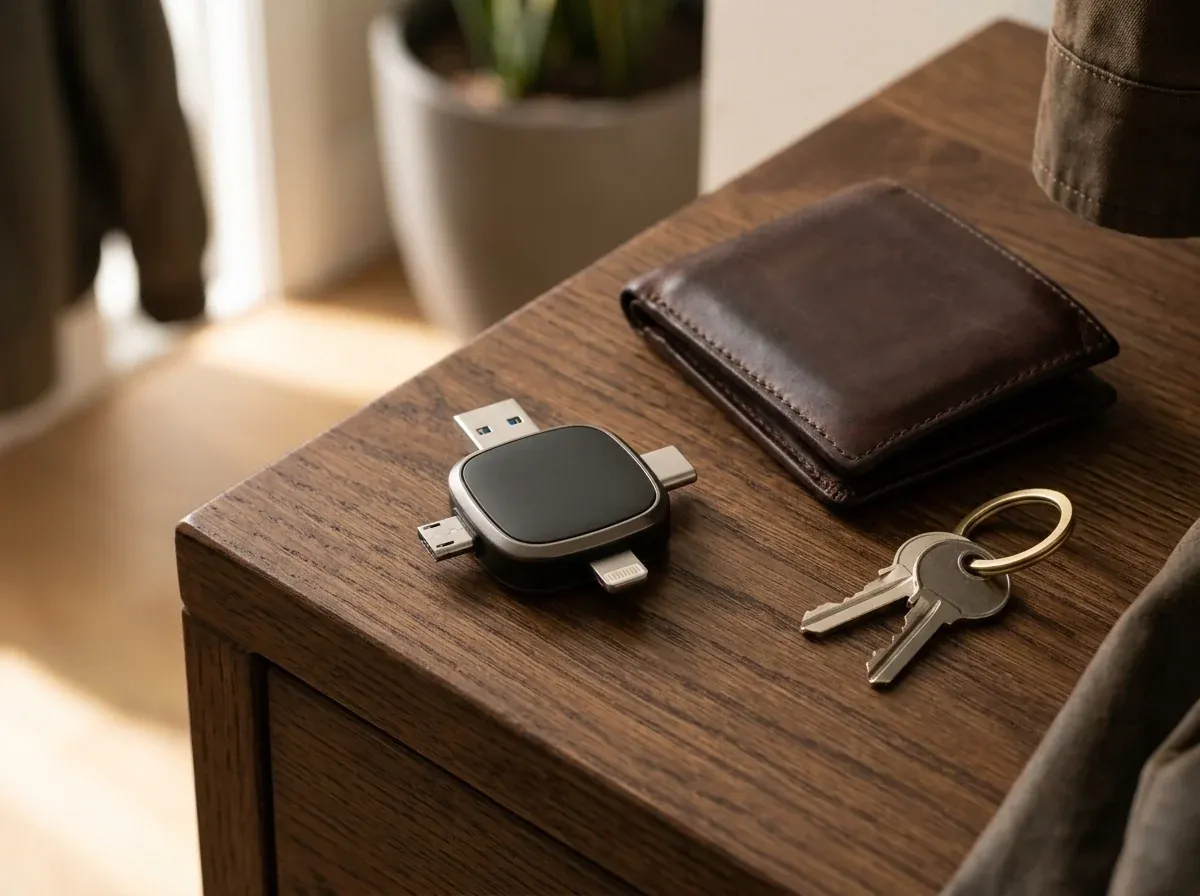
Flat-lay unboxing of the matte-black 4-in-1 RecovStick Pro backup drive and user guide
Fig. 5 Flat-lay unboxing of the matte-black 4-in-1 RecovStick Pro backup drive and user guide
  • 01 · Main Drive

    RecovStick™ Pro 4-in-1 Drive

    Multi-interface flash drive with built-in Lightning, USB-C, Micro-USB, and USB-A connectors.

  • 02 · Hardware

    Integrated Port Assembly

    All four connectors built directly into the unit—no loose adapter tips to misplace.

  • 03 · Guide

    iOS & Android Quick Guide

    Step-by-step instructions for iPhone companion app setup and Android Files app copying.

  • 04 · Warranty

    30-Day Guarantee Coverage

    Full 30-day money-back return protection backed by RecovStick™ Pro Customer Care.

06Setup

How to Back Up Your Phone with RecovStick™ Pro in 4 Steps

Simple plug-and-copy workflow for iPhone, iPad, Android, and desktop computers.

  1. Pick the Matching Connector

    Step 01

    Pick the Matching Connector

    Choose Lightning, USB-C, Micro-USB, or USB-A and plug RecovStick™ Pro into your phone, tablet, or computer port.

  2. Open the App (iOS) or Files (Android)

    Step 02

    Open the App (iOS) or Files (Android)

    iPhone users open the free companion app; Android users simply open their built-in Files app with no extra install.

  3. Select & Copy Your Photos and Videos

    Step 03

    Select & Copy Your Photos and Videos

    Choose the albums, 4K videos, or documents you want to save and copy them directly onto the RecovStick™ Pro.

  4. Unplug & Free Up Phone Space

    Step 04

    Unplug & Free Up Phone Space

    Once your files are safely stored on the drive, delete the duplicates from your phone or plug into any PC/Mac to view.

07Compared

RecovStick™ Pro vs. Cloud Storage & Single-Port Thumb Drives

See why a 4-in-1 physical backup drive saves money and hassle.

FeatureRecovStick™ ProMonthly Cloud PlansStandard USB-A Flash DriveDesktop Cable Sync
4 Built-In Ports (Lightning/USB-C/Micro/USB-A) Yesall 4 built in No NoUSB-A only Noneeds separate cables
No Monthly Subscription Fees Yespay once Nobilled every month Yes Yes
Works Offline Without Wi-Fi Yes100% local transfer Norequires internet Yes Yes
Direct iPhone (iOS 13+) & Android Backup Yesplug straight into phone Variesslow background sync Norequires adapter dongle Norequires computer
Supports Older Micro-USB OTG Phones Yesbuilt-in Micro-USB tip Variesif app still supported No Variesif cable works
30-Day Money-Back Guarantee Yesofficial retailer policy No Variesvaries by store No

Comparison reflects verified RecovStick™ Pro 4-in-1 capabilities versus recurring cloud services and single-connector drives.

08Suitability

Is RecovStick™ Pro Right for Your Devices?

Verify compatibility with your phones, tablets, and computers before ordering.

A great match if you…

  • Use an iPhone or iPad (running iOS 13 or later) or an OTG-supported Android device and want to clear camera-roll space fast
  • Want to rescue photos from older Micro-USB phones and consolidate them onto a modern USB-C or USB-A laptop
  • Prefer keeping private family photos, videos, and documents on physical hardware rather than paying monthly cloud fees
  • Travel frequently and want to offload 4K videos on airplanes or in remote areas without Wi-Fi

Keep in mind before ordering…

  • Devices running iOS 12 or older: Apple devices require iOS 13 or later (and downloading the companion app) to communicate with the RecovStick™ Pro.
  • Non-OTG legacy Android phones: Older Android devices with a Micro-USB port must support USB On-The-Go (OTG) in their system settings to recognize external storage.

09Reviews

Verified RecovStick™ Pro Customer Reviews

Rated 4.8 out of 5 across 3,758+ verified buyers.

4.8/5

4.8 out of 5 · 3,758+ verified customer reviews

Claim Up To 57% Off
  • Rebecca T.Phoenix, AZOctober 2026

    Verified Buyer · 3× Bundle

    “Cleared 4,000 Photos Off My iPhone Before Our Family Trip”

    My iPhone kept popping up the "Storage Almost Full" message right before we left for a two-week road trip, and I refused to sign up for another monthly cloud storage upgrade. I plugged the Lightning side of the RecovStick Pro into my phone, downloaded the companion app as instructed, and backed up over four thousand family photos and videos while sitting on the couch. Afterwards I plugged the USB-A side into my Windows laptop and everything opened immediately. Not having to pay a recurring monthly cloud bill just to keep my family videos safe has already saved me money in the first few months.

  • David S.Vancouver, BCOctober 2026

    Verified Buyer · 2× Bundle

    “Rescued Pictures From Two Old Android Phones in a Drawer”

    I had two older Android phones with Micro-USB ports sitting in my desk drawer for years because I could never get them to sync properly with my new MacBook. Because RecovStick Pro has Micro-USB, USB-C, Lightning, and USB-A all built into one little cross-shaped hub, I plugged the Micro-USB tip into my old phones, used the Android Files app to copy the DCIM folders, and then plugged the USB-C end straight into my Mac. It worked without a single hiccup. Being able to plug the exact same drive into an older Micro-USB phone, a Lightning iPhone, and a modern USB-C laptop is an absolute game-changer.

  • Stephanie W.Columbus, OHOctober 2026

    Verified Buyer · 3× Bundle

    “Bought the 3-Pack for Myself and My Parents”

    My parents take hundreds of videos of the grandkids on their iPads and phones, and they always get confused by cloud passwords and storage warnings. I ordered the 3x RecovStick Pro Recommended Deal for $49.99 each so I could keep one in my laptop bag and give the other two to my mom and dad. Now whenever their phone memory gets tight, they just plug in the stick and copy their albums over with zero monthly fees. My parents love that they can back up their grandkid photos offline in a couple of taps without remembering cloud passwords or waiting on Wi-Fi. My parents love that they can back up their grandkid photos offline in a couple of taps without remembering cloud passwords or waiting on Wi-Fi.

  • Andreas H.Hamburg, DENovember 2026

    Verified Buyer · 1× Drive

    “So Convenient Moving Video Files Between iPhone and PC”

    I record walkthrough videos on an iPhone for work, creative projects, and home inspections, but my main desktop computer runs Windows. Trying to email large video clips or wait for cloud folders to sync was wasting hours every week. With RecovStick Pro I transfer the footage straight from my iPhone port onto the drive, walk over to my PC, and plug in the USB-A connector. No Wi-Fi needed and no adapter dongles to lose. Moving large high-definition video clips from my iPhone straight onto my Windows desktop takes a fraction of the time it used to take over the internet. Moving large high-definition video clips from my iPhone straight onto my Windows desktop takes a fraction of the time it used to take over the internet.

  • Lauren G.Charlotte, NCOctober 2026

    Verified Buyer · 2× Bundle

    “Worked Great on the Airplane Without Any Wi-Fi”

    On our flight home from Europe I wanted to sort through all the 4K videos we shot and share them with my husband, who uses a Samsung Galaxy while I use an iPhone. We plugged the RecovStick Pro into my phone first, copied the trip folder, and handed the drive to him so he could plug the USB-C connector into his Galaxy and copy everything through his Files app. Having all four ports on one tiny device is brilliant. It takes up almost no room in my carry-on bag and lets us free up camera-roll space on both of our phones whenever we travel.

  • Kenneth P.Calgary, ABNovember 2026

    Verified Buyer · 4× Bundle

    “Peace of Mind Keeping Private Files Offline”

    Aside from family photos, I wanted a secure offline place to keep scanned tax records, property deeds, and family archives without uploading them to a cloud server. Ordering the 4-pack let me color-code one drive for household documents, two for photo archives by year, and one spare for travel. Every connector feels solid when plugged into both our iPhones and our desktop PC, and the 30-day guarantee made trying it easy. Having our most important household documents and photo albums stored on physical drives we control gives our whole family real peace of mind. Having our most important household documents and photo albums stored on physical drives we control gives our whole family real peace of mind.

10Up to 57% off

Select Your RecovStick™ Pro Bundle

Pick your package below to unlock up to 57% off on the official US, Canada, or Germany checkout page.

RecovStick™ 1× RecovStick™ Pro×1

1× RecovStick™ Pro

Single 4-in-1 Backup Drive

Per unit
$55.54
Total
$55.54
Regular
$111.09
You save
50%
  • 1× RecovStick™ Pro 4-in-1 Flash Drive
  • Lightning, USB-C, Micro-USB & USB-A built in
  • Save 50% off $111.09 regular price
  • Covered by 30-Day Money-Back Guarantee
Claim 50% Off — Get 1× Drive
RecovStick™ 2× RecovStick™ Pros×2

2× RecovStick™ Pros

Primary + Safe Backup Duo

Per unit
$52.77
Total
$105.54
Regular
$222.18
You save
53%
  • 2× RecovStick™ Pro 4-in-1 Drives ($52.77/ea)
  • Keep one in your bag & one archive copy at home
  • Save 53% ($116.64 total savings)
  • Covered by 30-Day Money-Back Guarantee
Claim 53% Off — Get 2× Drives

Recommended Deal · Most Popular

RecovStick™ 3× RecovStick™ Pros×3

3× RecovStick™ Pros

Recommended 3-Drive Family Pack

Per unit
$49.99
Total
$149.97
Regular
$333.27
You save
55%
  • 3× RecovStick™ Pro 4-in-1 Drives ($49.99/ea)
  • Ideal for multi-phone households & gifting
  • Save 55% ($183.30 total savings)
  • Covered by 30-Day Money-Back Guarantee
Claim 55% Off — Get 3× Drives

Best 4-Pack Value · Save 57%

RecovStick™ 4× RecovStick™ Pros×4

4× RecovStick™ Pros

Complete Archive 4-Pack

Per unit
$47.21
Total
$188.84
Regular
$444.36
You save
57%
  • 4× RecovStick™ Pro 4-in-1 Drives ($47.21/ea)
  • Save $255.52 off regular retail total
  • 5× Pack ($44.43/ea, 60% off) also on checkout
  • Covered by 30-Day Money-Back Guarantee
Claim 57% Off — Get 4× Drives

Selected 3× RecovStick™ Pros $149.97 $333.27 −55%

Claim 55% Off — Get 3× Drives
  • 30-Day Money-Back Guarantee on every purchase
  • One-time payment — zero recurring monthly cloud storage fees
  • Official regional checkout for United States, Canada & Germany (EUR pricing shown on DE page)

Bundle pricing matches the official retailer checkout tiers ($55.54/ea for 1×, $52.77/ea for 2×, $49.99/ea for 3×, $47.21/ea for 4×, plus a 5× tier at $44.43/ea on checkout; German checkout displays equivalent EUR amounts).

11FAQ

Frequently Asked Questions About RecovStick™ Pro

Everything you need to know about ports, device compatibility, and file transfers.

01

What is the RecovStick™ Pro and how does it work?

The RecovStick™ Pro is a compact 4-in-1 external storage drive built with Lightning, USB-C, Micro-USB, and standard USB-A connectors on one pocket-sized body. You simply plug the matching connector into your phone, tablet, or computer to back up photos, videos, and files directly without Wi-Fi or monthly cloud costs. This allows RecovStick™ Pro to keep your photos, videos, and files backed up across iPhone, Android, Windows, and Mac with zero monthly cloud fees.

02

Will RecovStick™ Pro work with both my new and older devices?

Yes. The 4-in-1 layout provides the right hardware connector for iPhones and iPads running iOS 13 or later, OTG-supported Android phones and tablets (both USB-C and older Micro-USB ports), and Windows or Mac computers. Just choose the tip that matches your port and start transferring. This allows RecovStick™ Pro to keep your photos, videos, and files backed up across iPhone, Android, Windows, and Mac with zero monthly cloud fees.
03

How do I transfer photos and files from an Android phone?

On Android devices, no additional app installation is required. Plug the USB-C or Micro-USB connector into your phone port, open your built-in Files app, select the photos or videos you want to back up, tap the menu icon, choose Copy To, and select the RecovStick™ Pro drive. This allows RecovStick™ Pro to keep your photos, videos, and files backed up across iPhone, Android, Windows, and Mac with zero monthly cloud fees.
04

How do I transfer photos and videos from an iPhone or iPad?

For iPhones and iPads running iOS 13 or later, simply download the free companion app first as noted in the quick guide, then plug the Lightning or USB-C connector into your device. From inside the app, you can select camera-roll photos, videos, and contacts to back up with a tap. This allows RecovStick™ Pro to keep your photos, videos, and files backed up across iPhone, Android, Windows, and Mac with zero monthly cloud fees.
05

Do I need Wi-Fi, cellular data, or a cloud subscription to use it?

No. RecovStick™ Pro performs 100% local hardware file transfers directly through your device’s charging or data port. It works anywhere—including on airplanes or in remote travel spots without internet—and never charges you a monthly subscription fee. This allows RecovStick™ Pro to keep your photos, videos, and files backed up across iPhone, Android, Windows, and Mac with zero monthly cloud fees.
06

Can I move files from my phone onto a Windows PC or Mac?

Absolutely. Once you have copied photos or videos from your iPhone or Android onto RecovStick™ Pro, unplug it and insert the full-size USB-A or USB-C connector into your Windows PC or Mac. Your computer will open it like a standard flash drive so you can view or drag files to your hard drive.

07

What happens to the photos on my phone after I back them up?

Copying files to RecovStick™ Pro creates a safe duplicate on the drive while leaving your original photos untouched until you decide to remove them. Once you verify that your albums are stored on the stick, you can delete them from your phone to reclaim gigabytes of free space. This allows RecovStick™ Pro to keep your photos, videos, and files backed up across iPhone, Android, Windows, and Mac with zero monthly cloud fees.
08

How does the 30-day money-back guarantee work?

Every RecovStick™ Pro order is backed by our 30-day money-back guarantee. If you are not satisfied with your 4-in-1 backup drive for any reason, simply return your product within 30 days by contacting customer support and we will issue a refund. This allows RecovStick™ Pro to keep your photos, videos, and files backed up across iPhone, Android, Windows, and Mac with zero monthly cloud fees.
09

How are orders shipped and tracked?

When you place your order through the official US, Canada, or Germany checkout page, your package is dispatched through a tracked shipping carrier. As soon as your parcel leaves the warehouse, you receive a confirmation email containing your tracking link. This allows RecovStick™ Pro to keep your photos, videos, and files backed up across iPhone, Android, Windows, and Mac with zero monthly cloud fees.
10

How can I reach RecovStick™ Pro customer service?

You can reach our customer support specialists anytime by emailing support@recovstickpro.com. Whether you have a question about iOS 13+ setup, Android OTG settings, or an existing bundle order, our team is standing by to assist you. This allows RecovStick™ Pro to keep your photos, videos, and files backed up across iPhone, Android, Windows, and Mac with zero monthly cloud fees.

12Up to 57% off today

Back Up Every Memory Without Monthly Cloud Bills

One pocket drive, four built-in connectors, and zero recurring fees. Choose your RecovStick™ Pro bundle now and save up to 57% with our 30-Day Money-Back Guarantee.

Claim Up To 57% Off — View Packages
−57% Up to 57% offFrom $47.21 per unit Claim Up To 57% Off — Order Now